
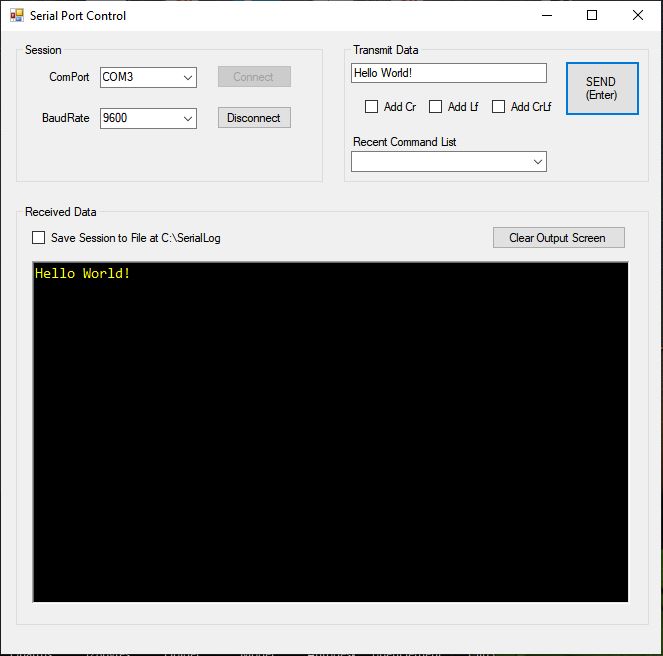
While working on a project that required repetitive commands to be sent to a microcontroller, I wrote this serial port program, since many of the standard programs don’t easily keep a list of recently used entries for quick access.
How to use it
- Select the baud rate and COM port from the drop-downs and press Connect.
- Enter commands in the Transmit Data field and check the appropriate carriage return / line feed combination.
- After sending, the received data is shown. If Save Session to File is checked, it is also saved to a text file.
The recent-command list is a running list of unique commands for the current session. It’s not full-featured, but it is a time saver when debugging and stress-testing serial comms to a microcontroller or other device. As time permits I may revisit this code and improve it.